Chatbot para WhatsApp: qué puede hacer por tu negocio, cuánto cuesta y cómo montarlo
Chatbot para WhatsApp explicado para pymes: bot de reglas o con IA, qué conviene automatizar, cuánto cobra Meta…
Leer artículo →2 de October de 2026

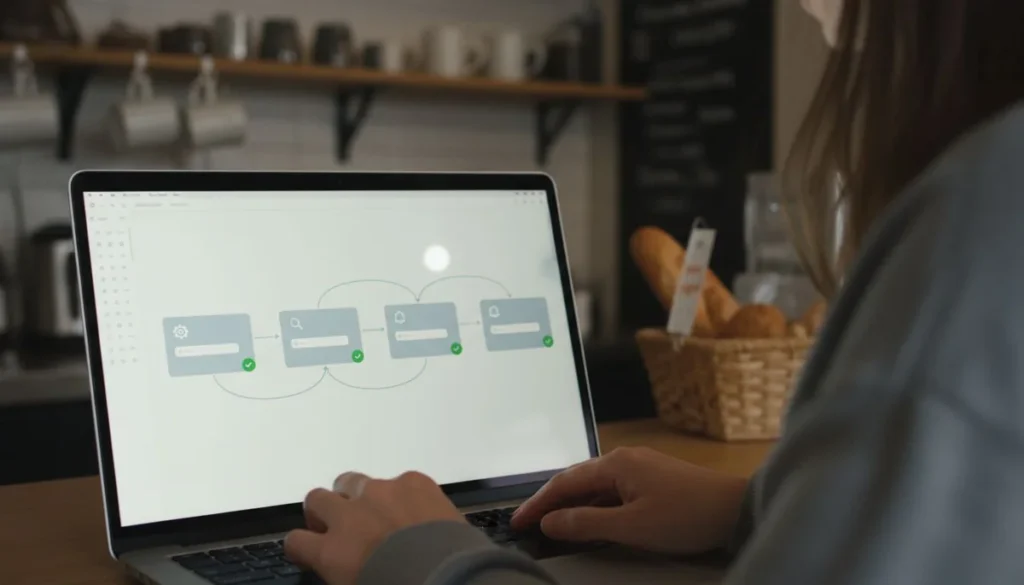
La automatización de procesos es hacer que una tarea repetitiva de tu negocio se ejecute sola, con reglas que tú defines, sin que nadie tenga que acordarse de hacerla. En una pyme el orden importa más que la herramienta: conviene arrancar por la tarea que más horas te come y donde equivocarse sale barato.
Casi toda pyme que llega a preguntar por esto ya sabe qué le duele. El problema es otro: cree que automatizar es comprar un software grande y cambiar la forma de trabajar de un día para otro. La primera automatización útil de un negocio en Colombia suele costar menos de lo que pagas en un almuerzo de equipo y resolver una sola tarea aburrida, de esas que hace alguien a mano cuarenta veces por semana.
La automatización de procesos toma una secuencia que ya existe en tu negocio y la ejecuta un sistema en lugar de una persona. El mensaje que avisa al cliente que su pedido está listo, el pedido de WhatsApp que cae solo en la planilla, la factura que se emite al confirmar la venta. Nada de eso requiere reinventar la operación.
Lo que no es: reemplazar el criterio de alguien. Cotizar un trabajo difícil, calmar a un cliente molesto o decidir a quién le das plazo de pago sigue siendo trabajo humano. Cuando una empresa automatiza esa parte, el cliente lo nota en dos días y se va. Si te interesa hasta dónde llega hoy la parte inteligente, en agentes de IA lo desarrollamos con ejemplos.
Si el proceso está mal hecho a mano, automatizarlo no lo arregla. Solo hace que te equivoques más rápido y en más pedidos al tiempo.
El error de arranque más común es atacar el proceso que más ruido hace en la empresa, casi siempre facturación o inventario. Son procesos pesados, con muchas excepciones y con costo alto si algo sale mal. Terminas tres meses después con un proyecto a medias y con el equipo convencido de que automatizar no sirve.
La tarea correcta para empezar tiene dos características juntas: se repite mucho y equivocarse en ella no cuesta plata ni problemas legales. Avisar que un pedido está listo cumple las dos. Responder por décima vez cuánto cuesta el servicio, también.
Esta es la tabla que usamos con los clientes antes de tocar una sola herramienta. Pones tus propias tareas, mides una semana real y ordenas. Los números de ejemplo son de una pyme de servicios con dos personas en atención.
| Tarea repetitiva | Veces por semana | Minutos cada vez | Horas al mes | Si falla, ¿qué pasa? | Prioridad |
|---|---|---|---|---|---|
| Responder «¿cuánto cuesta?» por WhatsApp | 60 | 2 | 8,7 | Se corrige respondiendo otra vez | Alta |
| Pasar pedidos del chat a la planilla | 40 | 3 | 8,7 | Un pedido perdido, cliente molesto | Alta |
| Avisar que el pedido está listo | 30 | 1 | 2,2 | El cliente llama a preguntar | Alta |
| Emitir y enviar la factura electrónica | 25 | 6 | 10,8 | Sanción de la DIAN | Media |
| Publicar en redes sociales | 5 | 20 | 7,2 | Publicación fuera de tono | Media |
| Cuadrar caja y ventas del día | 6 | 15 | 6,5 | Descuadre que se arrastra al mes | Media |
| Liquidar nómina | 0,5 | 120 | 4,0 | Problema laboral y de seguridad social | Baja para empezar |
Las horas al mes salen de multiplicar veces por semana, por minutos, por 4,33 semanas. Fíjate en el orden que aparece solo: las tres primeras filas suman casi veinte horas mensuales y ninguna tiene consecuencias graves si el sistema se equivoca. Ahí está tu primer mes de trabajo. Nómina come menos horas de las que parece y su error es el más caro de todos, así que va después y con un proveedor serio.
Estos son rangos estimados para 2026, útiles para dimensionar antes de pedir cotizaciones. Cambian por proveedor, por volumen y por cuántos usuarios necesitas.
El cálculo para decidir cabe en una línea: ponle a las horas de la tabla lo que te cuesta la hora de la persona que hoy hace esa tarea, y compara ese número contra el plan mensual. Si el plan sale más barato que las horas que libera, la discusión se acabó. Cuando el negocio crece y ya no alcanza con conectar herramientas sueltas, el siguiente escalón es la inteligencia artificial para empresas, pero ese salto se da después, con procesos ya ordenados.
Ese ciclo completo toma entre dos y cuatro semanas por tarea en un negocio pequeño. Si alguien te promete automatizar la operación entera en una semana, está vendiendo licencias, no resultados. La misma lógica de escalones aplica cuando el negocio crece hacia un sistema ERP o hacia un CRM para pymes.
Dos frentes se pasan por alto y los dos tienen consecuencias. El primero son los datos de tus clientes: desde el momento en que guardas teléfonos en una plataforma para mandar mensajes automáticos, estás tratando datos personales bajo la Ley 1581 de 2012, cuyo artículo 9 exige la autorización previa e informada del titular, obtenida por un medio que después puedas consultar. El artículo 8 le da a esa persona el derecho a conocer sus datos, actualizarlos, pedir prueba de la autorización y quejarse ante la Superintendencia de Industria y Comercio, que además administra el Registro Nacional de Bases de Datos. Antes de cargar tu lista a cualquier plataforma, revisa dónde quedó guardado ese sí.
El segundo frente es la facturación. La emisión automática tiene que salir por una solución habilitada ante la DIAN, y hay tres caminos válidos: la solución gratuita de la entidad, un software propio que hayas habilitado, o un proveedor tecnológico autorizado. Los tres pasan por el trámite de habilitación previa en el micrositio del sistema de facturación electrónica de la DIAN. Un script casero que arma PDFs bonitos no entra en ninguno de los tres. Ahí no hay atajo barato que salga bien.
En Digital Trendy 360 medimos tus procesos, armamos la matriz con tus números reales y montamos la primera automatización funcionando, sin venderte licencias que no vas a usar.
En pymes casi nunca. Lo que pasa es que la misma gente deja de transcribir pedidos y empieza a vender o a atender mejor. El recorte de personal aparece en operaciones grandes con áreas enteras dedicadas a tareas repetitivas, que no es el caso de un negocio de cinco o veinte personas.
No. La mayoría de las automatizaciones que ahorran horas en una pyme son reglas simples: si pasa esto, haz aquello. La inteligencia artificial entra cuando la tarea exige interpretar texto libre o redactar, y ahí conviene leer primero inteligencia artificial para empresas para no comprar de más.
Si eliges una tarea de prioridad alta, entre la segunda y la cuarta semana ya la notas en horas. El ahorro en plata tarda más porque esas horas se reinvierten en otra cosa antes de convertirse en ventas. Por eso conviene medir horas liberadas y no ingresos en el primer mes.
Cotizaciones que dependen del criterio de alguien, reclamos de clientes molestos, negociaciones de plazo y cualquier decisión donde el contexto cambie caso por caso. También cualquier proceso que todavía no esté escrito: primero se ordena, después se automatiza.
Por WhatsApp y por una hoja de cálculo compartida. Las respuestas guardadas y un formulario que caiga solo en la hoja resuelven las dos tareas de prioridad alta de casi cualquier pyme, con costo cero. Cuando eso quede corto, ahí sí evalúas plataformas. Datos del sector en estadísticas de pymes digitales en Colombia.
La automatización de procesos en una pyme se decide con una tabla, no con una demo de software. Mide una semana, ordena las tareas por horas consumidas y por costo del error, y empieza por arriba de esa lista con la herramienta más barata que funcione. Una tarea a la vez, dos semanas de prueba en paralelo, y recién después la siguiente. Con ese ritmo, en un trimestre tu equipo recupera un día completo de trabajo al mes y nadie tuvo que cambiar la forma de trabajar de golpe.




Cuéntanos tu proyecto y recibe una asesoría sin costo.
Usamos cookies propias y de terceros para mejorar tu experiencia y analizar el tráfico del sitio. Podés aceptarlas o rechazarlas. Más info en nuestra política de cookies.